Remixes
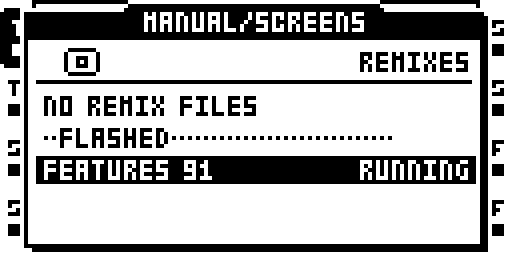
BRAIN: Remixes
REMIXES switches the unit to another image on the card without flashing it. The web builder makes an .RMX file for each image it builds; see Build and Install. Stock 1.40C is also a valid target.
Copy .RMX files to the folder BRAIN/REMIXES/ on the CF card. Delete any Mac ._<name> files first, or they are listed too.
Every .RMX file there is listed in name order; the one whose name matches the running image (case and spaces ignored) has RUNNING at the right. YES on one asks BOOT <NAME>?, and YES again boots it without writing the flash. A switch stops playback, saves the project (as OS UPGRADE does), loads the image and resets.
The choice is remembered and restored at the next reboot, before the project loads. After a switch, a FLASHED separator shows the installed image; select its name to return to it and clear the remembered choice.
To skip the remembered choice for one boot, hold FUNC at power-on and choose EXIT in the stock STARTUP MENU, or take the card out.